User agent switcher not working? Check the Client Hints
You picked "iPhone", but the site still shows the desktop page or names your real browser. In Chrome, Edge and other Chromium browsers, the most common reason is that the switcher did not change the Client Hints.
Your browser reports itself in more than one place
The user-agent string is only one of them. Chromium browsers also send User-Agent Client Hints:
| Where | What it says |
|---|---|
User-Agent header | The classic user-agent string |
navigator.userAgent | The same string, read by JavaScript |
Sec-CH-UA header | Browser brands and major versions |
Sec-CH-UA-Platform header | Operating system, such as "Windows" or "Android" |
Sec-CH-UA-Mobile header | ?1 for mobile, ?0 for not mobile |
navigator.userAgentData | The same Client Hints, read by JavaScript |
A switcher that changes only the first two leaves the rest pointing at your real device. A site that reads Sec-CH-UA-Mobile or navigator.userAgentData.mobile still sees a desktop.
We tested it
We started Chromium 145 and Microsoft Edge 157 on Windows with the --user-agent flag set to an iPhone user agent. The header and navigator.userAgent changed to iPhone. But in both browsers, Sec-CH-UA-Platform still said "Windows", Sec-CH-UA-Mobile said ?0, and navigator.platform said Win32. A real iPhone sends no Client Hints at all, so this combination does not exist on a real device. Full results are in How to change the user agent in Chrome.
Check what the site sees
- Turn your switcher on and choose a device.
- Open our user agent checker.
- Compare the rows. If the user-agent string says iPhone or Android but
Sec-CH-UA-Platformsays Windows or macOS, the Client Hints were not changed.
Other reasons a switch may not show
- The page was not reloaded. The user agent is read when the page loads. Reload after switching.
- Two switchers are installed. If more than one extension changes the user agent, they can override each other. Keep one turned on.
- The site checks other things. Screen size, touch support, fonts and graphics (WebGL) also reveal the real device. No user-agent switcher changes those.
- The site remembers you. Some sites store your desktop or mobile choice. Try a private window or the site's own "desktop / mobile" link.
A switcher that changes the Client Hints too
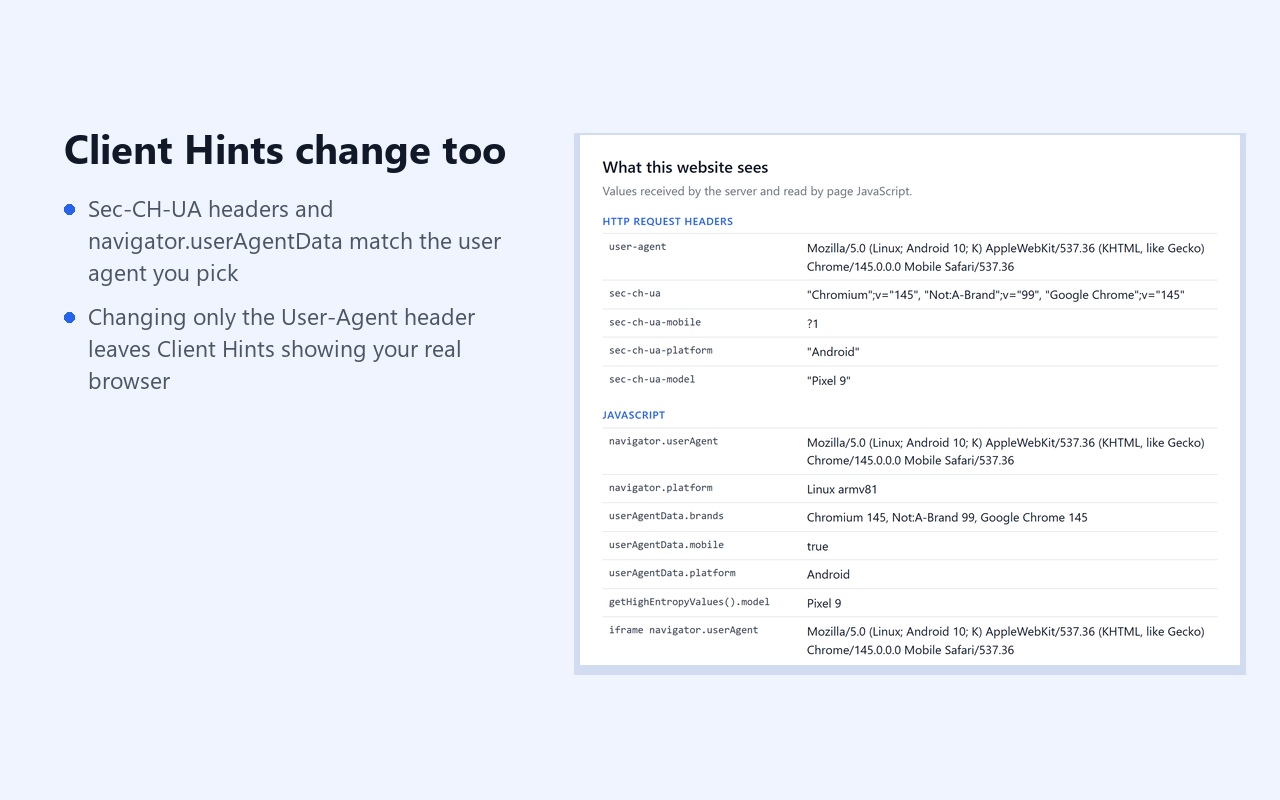
We make User-Agent Switcher — UA + Client Hints for Chrome. It changes the header, navigator, iframes and all the Client Hints above together. When you choose Safari or Firefox, it removes the Client Hints, because those browsers do not send them.
Get it on the Chrome Web Store
Free with 13 built-in user agents. Pro is $7.99 once and adds per-site rules and your own strings. Limits: web workers, fonts, screen size and WebGL still show your real device.